
Everyday outfit to pixel character
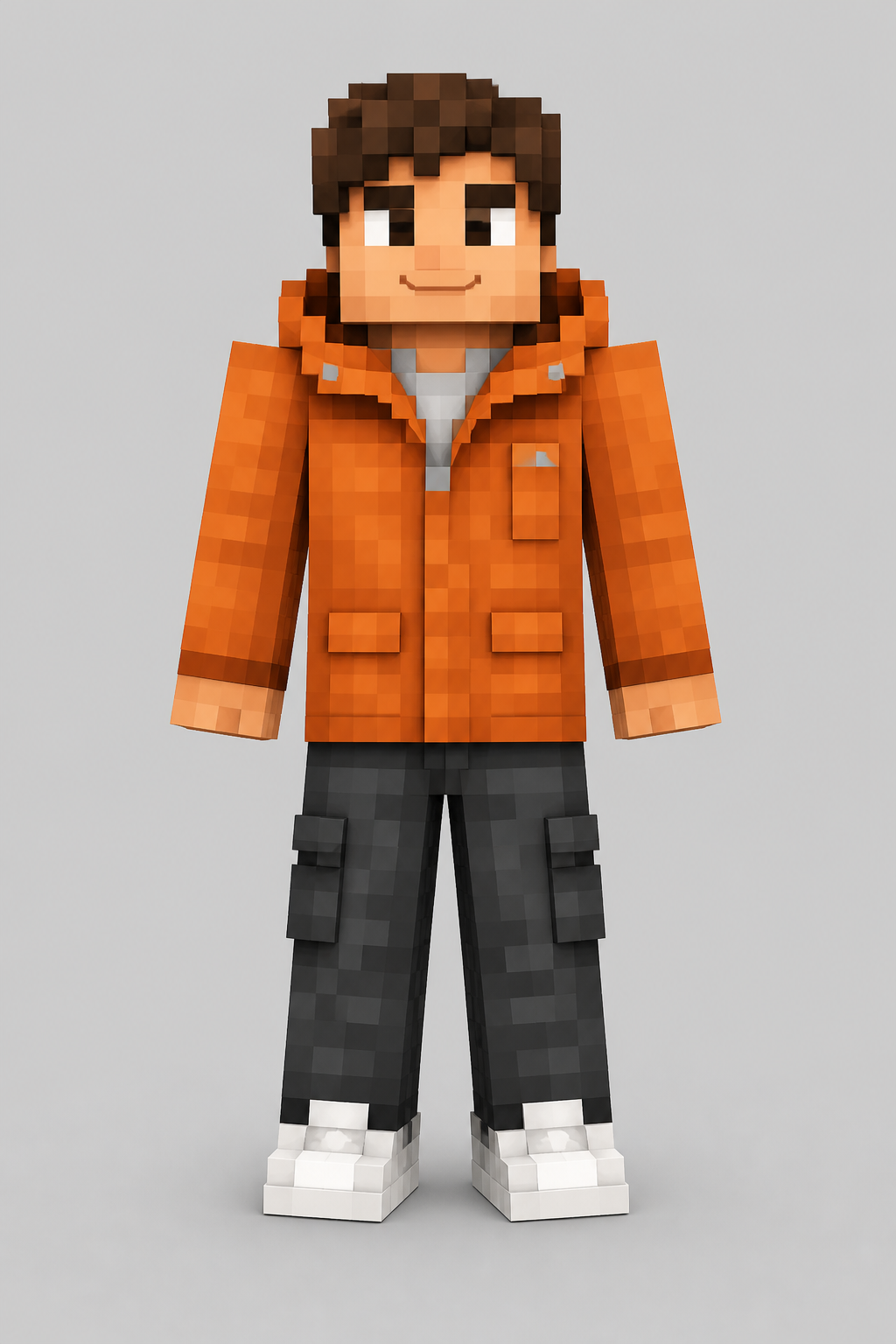
An orange jacket, dark cargo trousers, white sneakers, and tousled hair become clear geometric details in the generated character.
Turn a photo, avatar, or character picture into a custom Minecraft-style character image. Upload your reference, choose an aspect ratio, and let AI rebuild its most recognizable details with block-shaped proportions and pixel textures.
Example results — your generated image will appear here
Conversion examples
Compare real source photos with their generated block-style characters and see how recognizable colors, clothing, and accessories carry across.
An orange jacket, dark cargo trousers, white sneakers, and tousled hair become clear geometric details in the generated character.
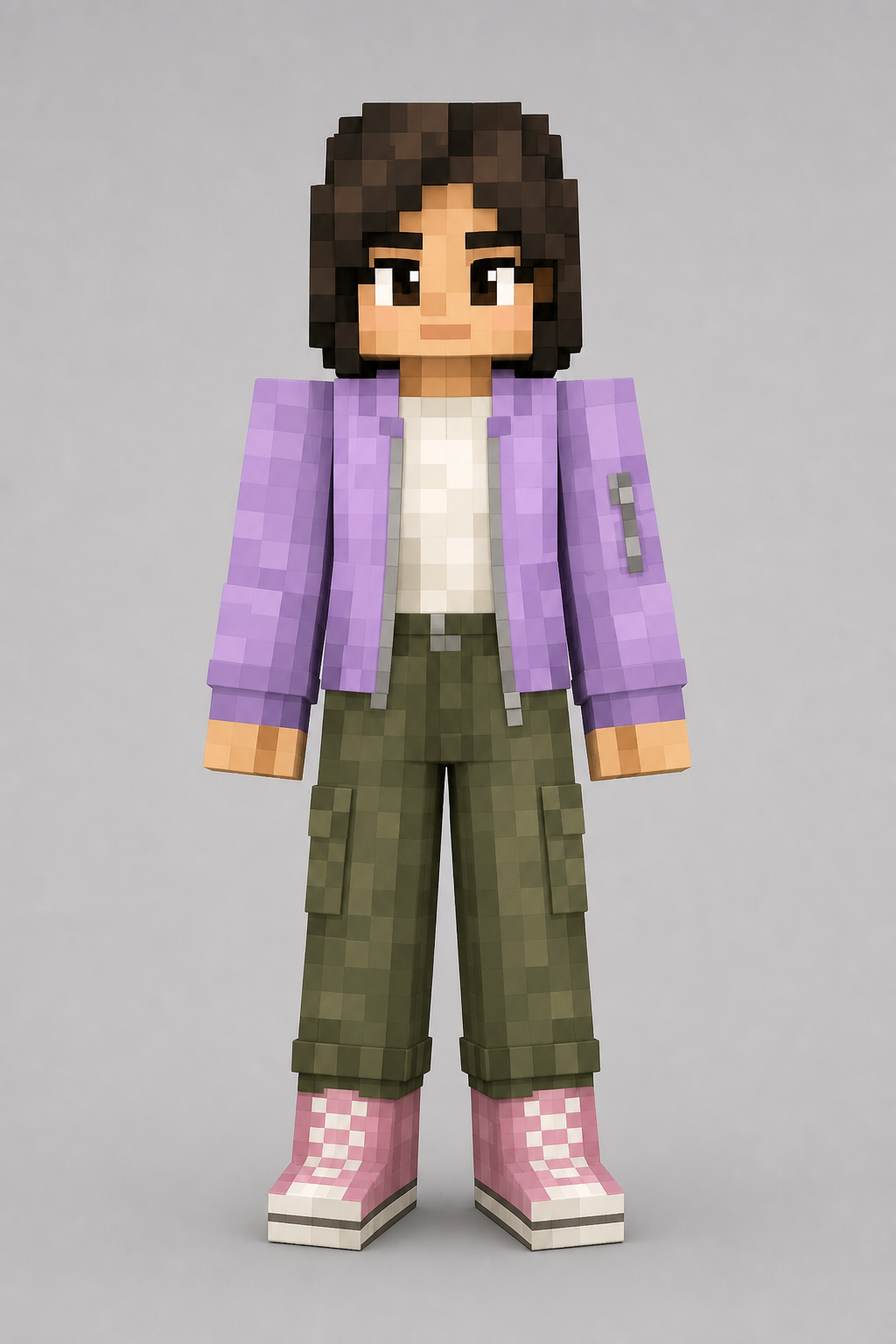
The lavender jacket, olive trousers, pink high-tops, and short hairstyle remain recognizable after the image-to-character conversion.
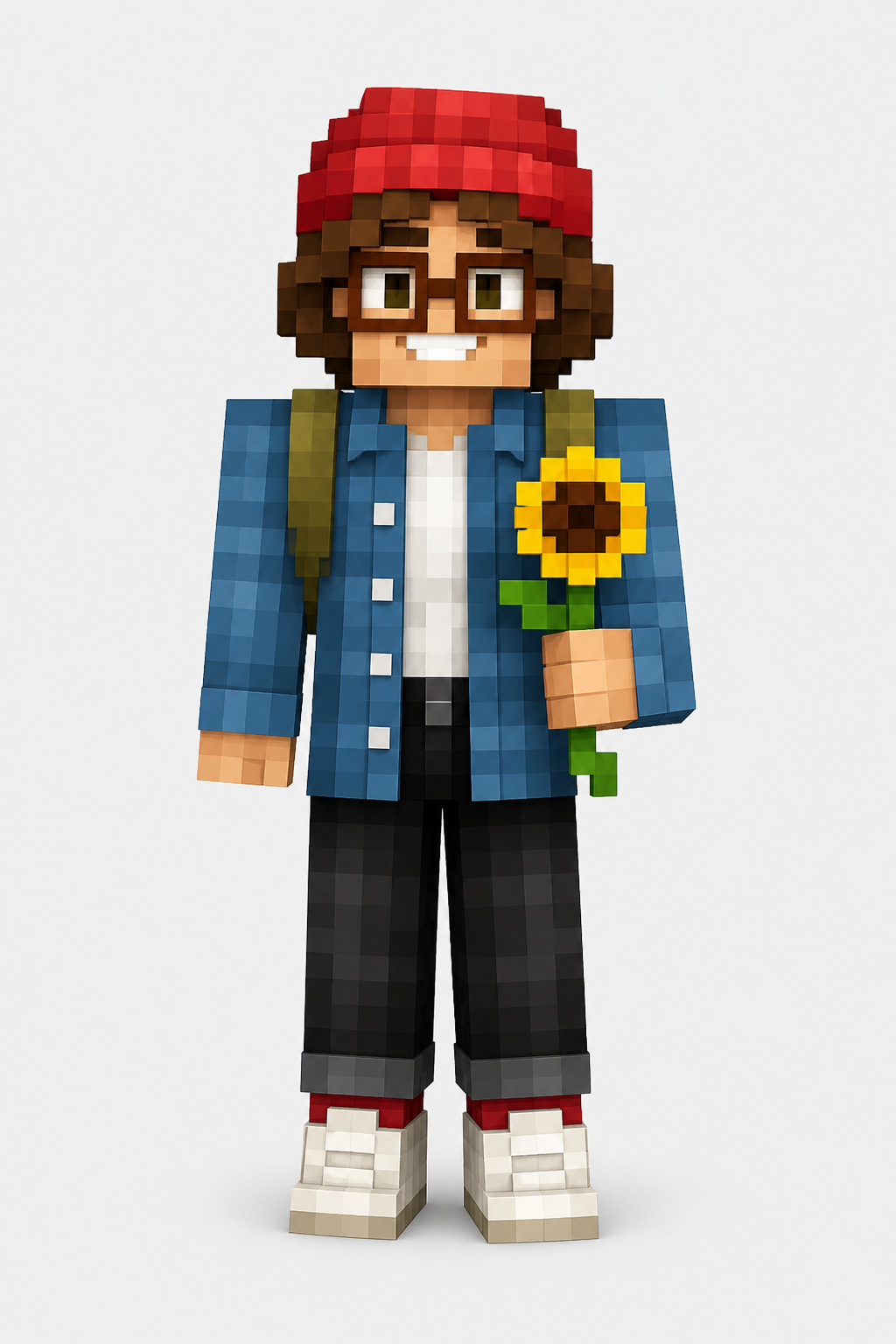
A red beanie, glasses, denim overshirt, backpack, and sunflower give the final block-style character a distinct identity.
Go from a reference picture to a Minecraft-style character concept in three straightforward steps.
Pick a photo or character picture with a clear subject. Front-facing or full-body references usually provide the most useful visual detail.
The AI studies the subject, clothing, colors, and defining features, then rebuilds them with block-shaped proportions and pixel textures.
Compare the result with your reference, generate another variation if needed, and save the version that best captures your idea.
MagicCreator uses your reference as the visual foundation, so the result can feel connected to a real person, an original character, or a favorite pet instead of looking like a random preset.
AI uses visible cues such as hair, clothing, accessories, and color combinations to keep the result connected to your original subject.
Smooth forms are reinterpreted with square proportions, pixel-like surfaces, and the playful visual language associated with Minecraft characters.
Try the same source again to explore different outfits, poses, expressions, and pixel treatments without starting from scratch.
Keep the colors that define the reference—such as a bright jacket, dyed hair, team uniform, or pet markings—while adapting them to a pixel-block aesthetic.
Your uploaded image guides the hairstyle, outfit, colors, pose, and other visible details used to shape the block-style result.
Generate visual variations, compare how each one interprets the reference, and download the character image that best matches your idea.
From reference to character
An effective image-to-Minecraft transformation is not just a pixel filter. The AI first reads the visual identity of the subject: the silhouette, hairstyle, face-framing details, clothing layers, accessories, and dominant colors that make the person or character easy to recognize.
It then simplifies curved forms into a block-shaped design. Fine textures become larger pixel-like patterns, clothing is reorganized into clear geometric areas, and small details are kept only when they help the character remain distinctive.
The reference image guides both identity and interpretation. A clear pose, visible outfit, simple background, and distinctive colors give the AI stronger visual cues to carry into the block-style result.
Distinctive bangs, curls, hats, headphones, or ears often become the fastest way to recognize the character.
A visible jacket, costume, uniform, or layered outfit gives the model more structure than a tightly cropped face alone.
Glasses, jewelry, capes, bags, facial hair, and pet markings can help one generated character stand apart from another.
Clear separation between the subject and background makes it easier to understand what belongs to the character.
Start with something personally meaningful and explore how it might look as a block-style character, avatar, or visual concept.
Use your own hairstyle, glasses, favorite jacket, and everyday color palette as the foundation for a personalized Minecraft-style look.
Transform separate portraits with similar framing and visible outfits to explore a coordinated group look while keeping each person recognizable.
Use coat color, markings, ears, and expression to create a playful block-style version of a dog, cat, or other companion.
Bring an OC, tabletop character, comic hero, or fantasy sketch into a different visual world without losing its defining design cues.
Keep the same person or character while testing fantasy armor, streetwear, seasonal clothing, uniforms, or themed costumes.
Create a bold character portrait for a profile, group chat, community post, stream thumbnail, or personal collection.
A strong reference gives the image-to-Minecraft skin generator more information to work with and makes important details easier to preserve.
Use a sharp, well-lit face or upper-body photo when hairstyle, expression, glasses, or other personal features matter most.
Choose a full-body or three-quarter image when you want the result to borrow a jacket, uniform, costume, or recognizable color scheme.
A subject that stands apart from the background helps the AI separate the character from scenery and unrelated objects.
Helpful answers before you turn a photo or picture into a Minecraft-style character.
You can use portraits, selfies, avatars, drawings, character art, and pet photos. Clear images with one main subject usually produce the most recognizable result.
Yes. The AI can interpret visible features in a photo and recreate them with block-like proportions and pixel-inspired textures.
Results can reflect prominent hair shapes, clothing colors, glasses, hats, accessories, and other features that are clearly visible in the reference.
Use a bright, sharp image with the subject centered and unobstructed. If the outfit matters, choose a photo that shows more than just the face.
Yes. Generating variations is useful when you want to compare different pixel treatments, poses, expressions, or interpretations of the same character.
No. The workflow is designed for everyday creators: upload a reference, generate a result, and choose the variation you like best.
Yes. Illustrated characters can work well when their silhouette, clothing, colors, and accessories are clearly defined. Use an original image or one you have permission to transform.
Start with a sharper image, keep the subject large in the frame, and make important clothing, hair, and accessories clearly visible. Generating a few variations also helps you compare different interpretations.
Bring a photo, avatar, or character idea and create a personalized block-style look with MagicCreator.