Where Was This Picture Taken?

Upload a photo to find its most likely location with our free AI image location finder. It studies landmarks, signs, architecture, streets, and landscape details, then explains the visual clues behind its answer.

AI Image Location Finder Examples

Distinctive buildings and landmarks make strong image location matches because several visible details point to the same place. These examples show the kinds of evidence the finder can describe.

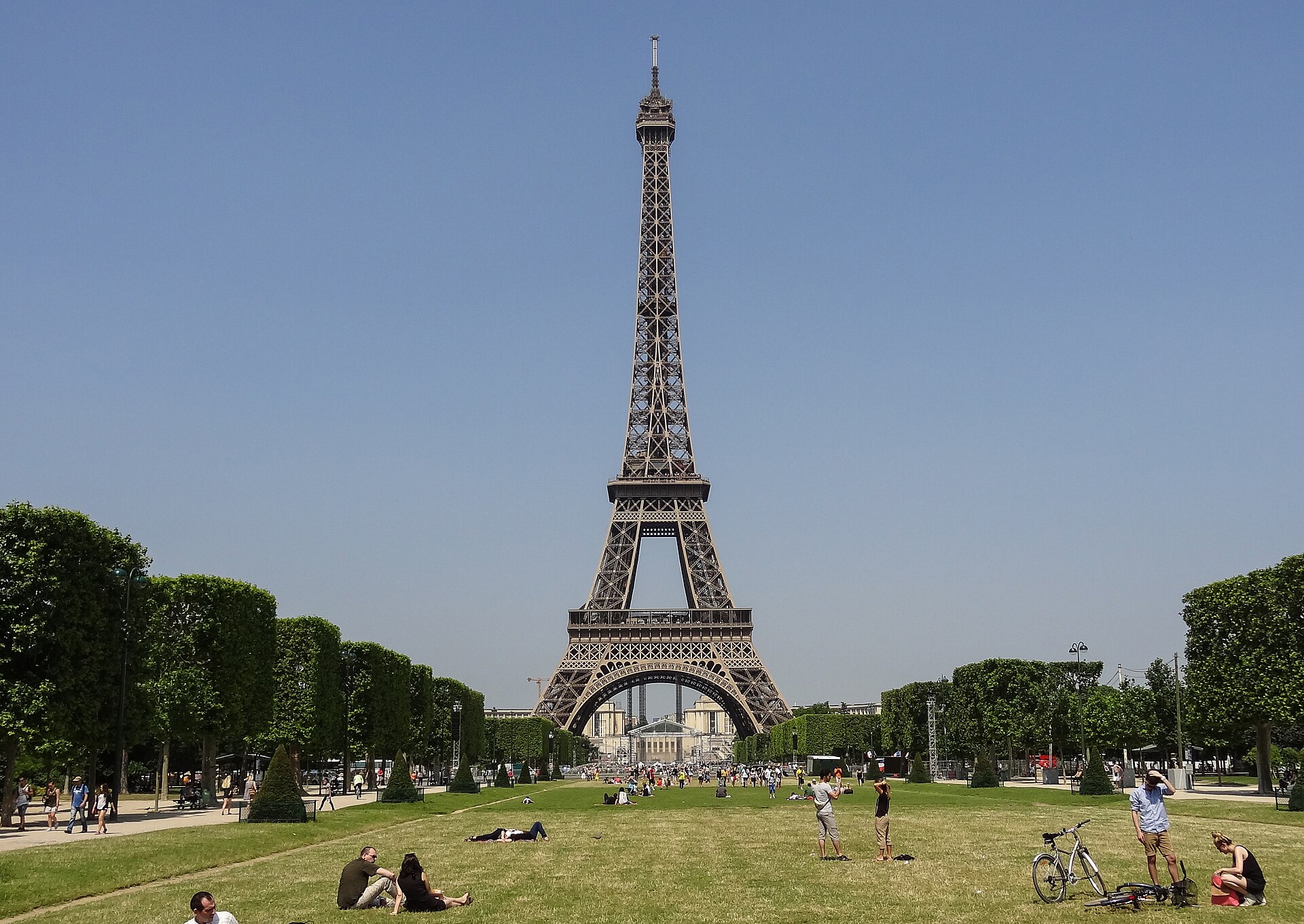
Eiffel Tower viewed from the Champ de Mars in Paris, France

Eiffel Tower · Paris, France

Landmark

The tower's unmistakable iron lattice and tapered silhouette support a landmark-level result rather than only a broad city estimate.

Recognizable visual clues

  • Four-legged iron structure with a recognizable upper observation tower
  • Champ de Mars lawns and Parisian surroundings visible in the scene

Photo: Eutouring · CC BY-SA 4.0
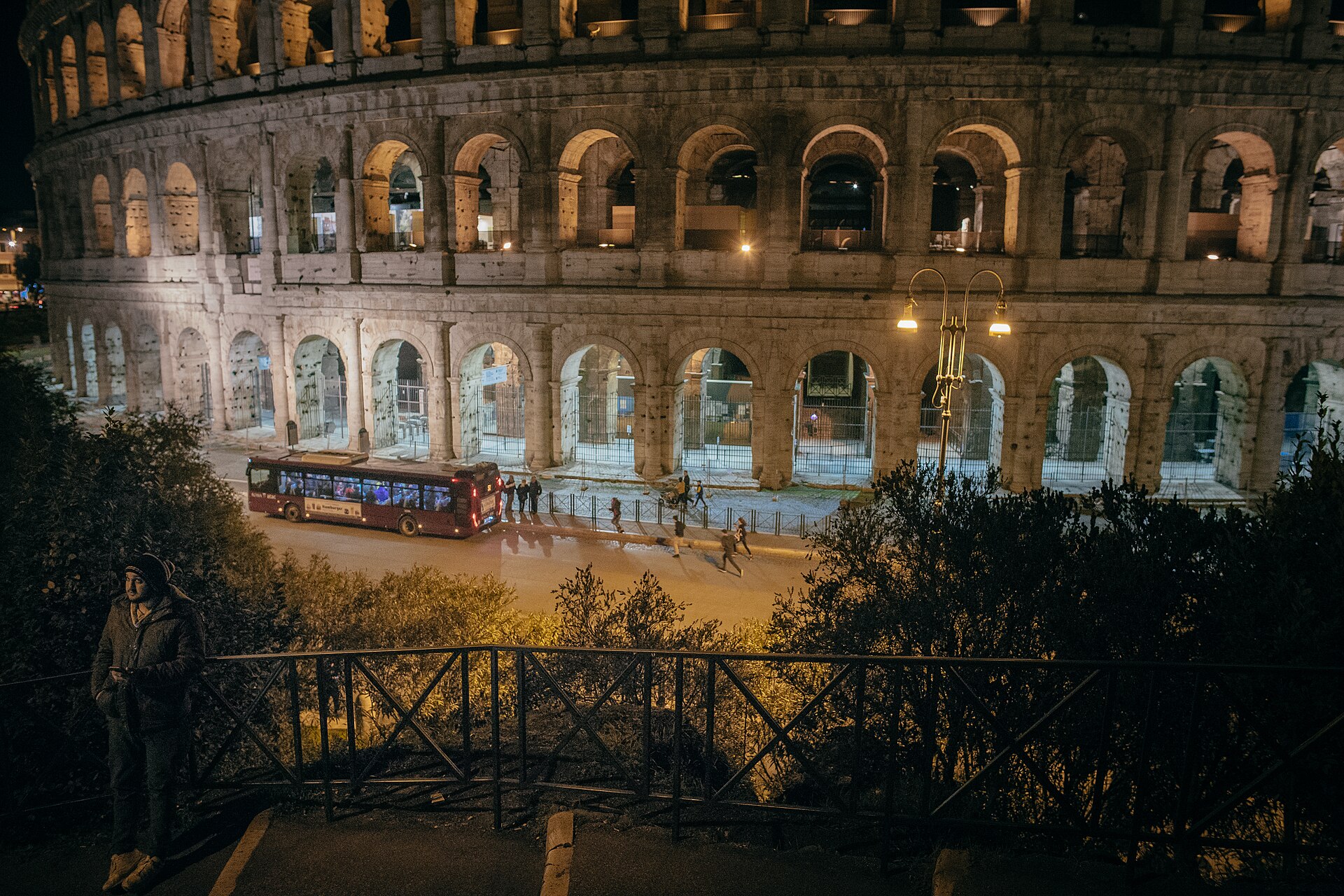
Illuminated exterior arches of the Colosseum in Rome, Italy

Colosseum · Rome, Italy

Historic landmark

Even at night, the repeated stone arches, curved amphitheater wall, and urban setting create a distinctive match for central Rome.

Recognizable visual clues

  • Multiple tiers of weathered Roman arches along a curved facade
  • Monument lighting and surrounding Roman street environment

Photo: Alexander Popkov · CC BY-SA 4.0

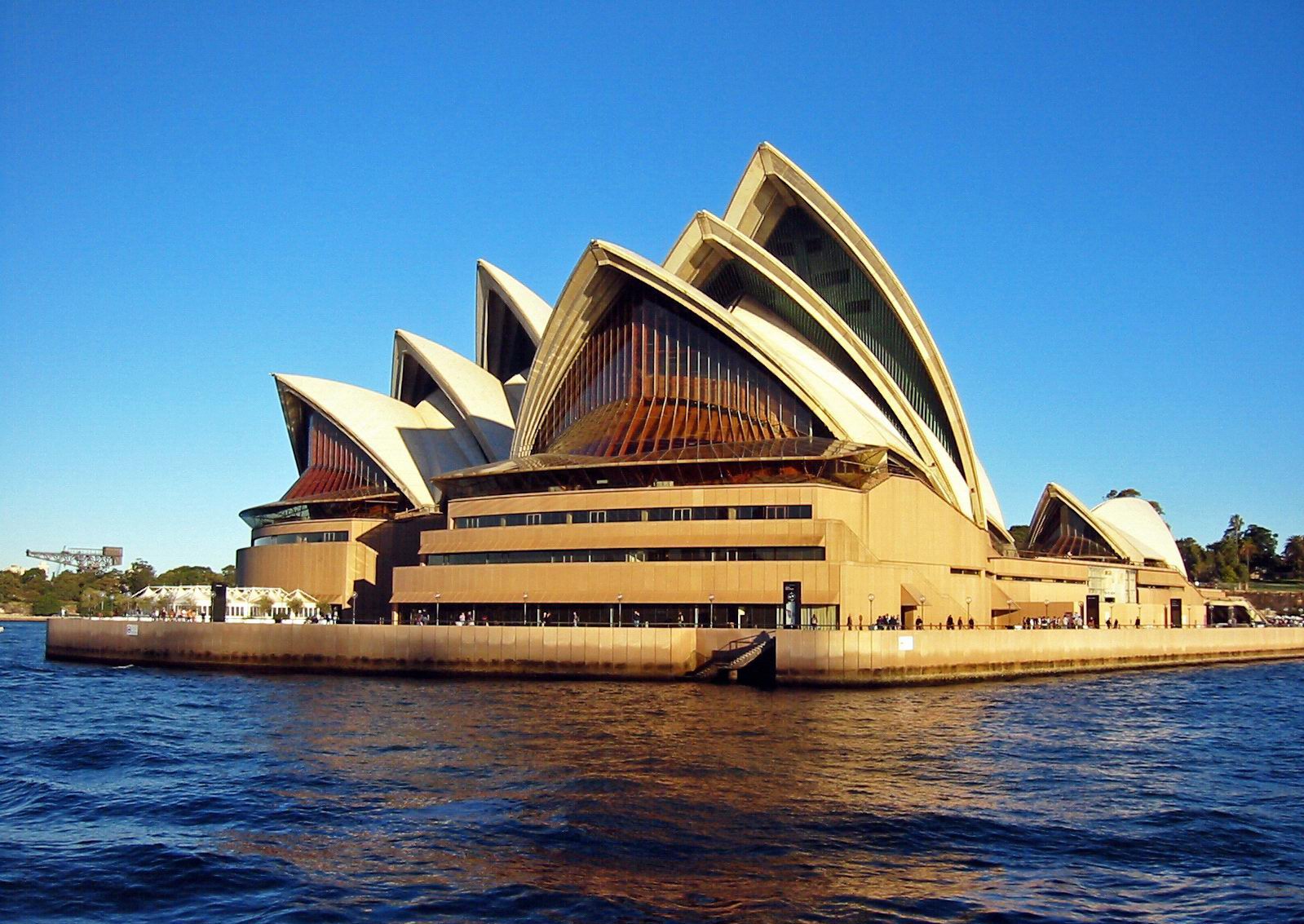
Sydney Opera House beside Sydney Harbour in Australia

Sydney Opera House · Sydney, Australia

Cultural landmark

The white shell-shaped roofs are globally distinctive, while the waterfront context helps confirm the likely city and country.

Recognizable visual clues

  • Overlapping sail-like roof shells with ribbed surfaces
  • Harbour-edge podium and waterfront viewpoint

Photo: Thomas Schoch · CC BY-SA 2.5

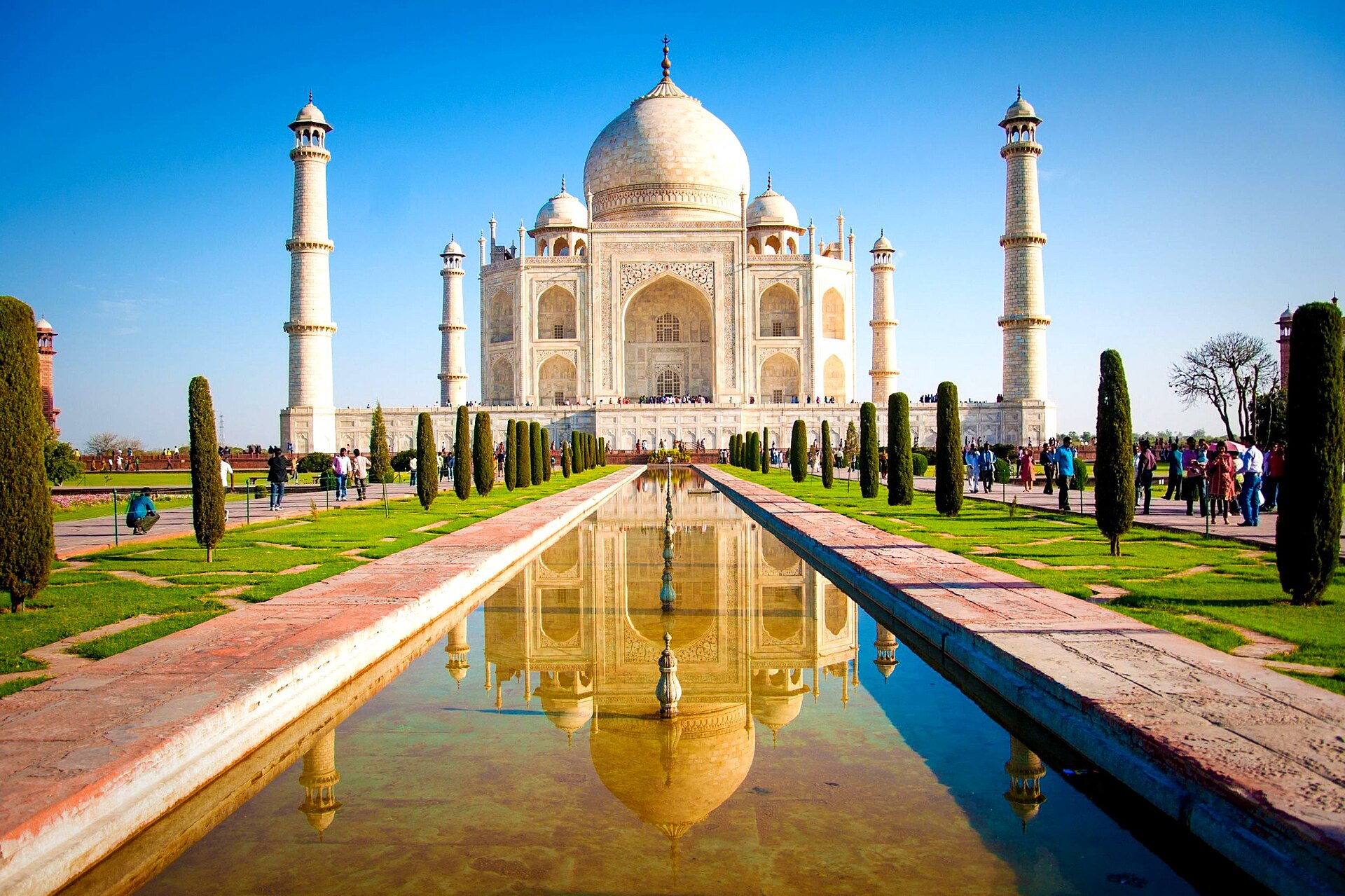
Taj Mahal and reflecting pool in Agra, India

Taj Mahal · Agra, India

Monument

The central marble dome, four minarets, symmetrical garden, and long reflecting pool provide several independent clues for the same location.

Recognizable visual clues

  • White marble mausoleum framed by four matching minarets
  • Formal Mughal garden axis and central reflecting pool

Photo: Joel Godwin · CC BY-SA 4.0

How to Find Where a Picture Was Taken

A clear photo and a quick review of the supporting evidence are usually all you need to start an image location search.

01

Upload the clearest image

Choose a travel photo, screenshot, downloaded image, or mystery picture. Wider scenes with buildings, signs, roads, mountains, coastlines, or skyline details usually work better than tight crops.

JPG, PNG, and WebP images are supported. Signing in opens the upload flow and keeps the photo available for processing.

02

Let visual AI read the scene

The model examines visible landmarks, written language, architecture, road markings, terrain, vegetation, and other regional signals. It can work even when the file has no usable GPS or EXIF data.

The analysis uses what appears in the image; it is not a web reverse-image match or a hidden metadata lookup.

03

Review and verify the result

Read the suggested place name, location type, confidence estimate, summary, and visual clues. For anything important, compare those clues with a map, official landmark photography, or another reliable source.

A likely location is a starting point for verification, not proof of an exact address.

What the AI Image Location Finder Looks For

Photo geolocation works best when different clues reinforce one another. A single detail may be common, but several consistent details can narrow a place from a region to a city or landmark.

Landmarks and skylines

Recognizable towers, bridges, monuments, domes, stadiums, and skyline shapes can support a precise landmark or city-level match. Replicas and similar structures still require caution.

Signs and written language

Street names, shop signs, transit labels, road shields, scripts, and regional spelling can narrow a country, city, or neighborhood when the text is clear enough to read.

Architecture and streets

Building materials, roof shapes, windows, utility poles, street furniture, sidewalks, and block layouts often reveal a regional design pattern even without a famous landmark.

Road and transport details

Driving side, lane markings, traffic signs, license-plate proportions, transit vehicles, and road construction can help separate places that otherwise look similar.

Terrain and coastlines

Mountain profiles, beaches, cliffs, rivers, shorelines, soil, and the relationship between land and buildings provide geographic context for broader location estimates.

Vegetation and environment

Plant types, seasonal conditions, climate cues, light, and landscape management can support a region-level guess, although these clues are rarely strong enough on their own.

How Accurate Is Photo Location AI?

Accuracy depends on how distinctive and complete the visible evidence is. The same AI image finder may recognize a famous monument immediately but only suggest a country for a generic residential street.

The confidence shown with a result is the model's own estimate of how well the clues support its answer. It is not a GPS reading, a probability measured against every place on Earth, or confirmation that the exact address is correct.

How to check a suggested location

  1. 1Look for at least two independent clues that point to the same place.
  2. 2Compare distinctive shapes, signs, and street geometry with reliable photos or maps.
  3. 3Treat a broad country or region result differently from an exact landmark match.

Stronger match

Distinctive landmark with supporting context

A well-framed monument, readable place name, unique skyline, or recognizable natural feature can support a city- or landmark-level identification.

Best evidence: the main subject is distinctive, surrounding details agree with it, and there are no obvious lookalikes in the scene.

Useful estimate

Several regional clues, but no unique landmark

Architecture, road design, language, vegetation, and terrain may combine into a useful country or regional estimate without revealing one exact location.

Use the answer as a search direction. A wider crop, another angle, or a clearer sign may help narrow it further.

Low confidence

The image does not contain enough unique information

Generic interiors, ordinary houses, close-up objects, blurred screenshots, and similar suburban streets may occur in thousands of places. No model can recover location details that are absent from the image.

A responsible result should stay broad or acknowledge uncertainty instead of inventing a precise city or address.

Ways to Use a Picture Location Finder

Use visual location analysis whenever you have an image but not a reliable caption, filename, or location tag. The result helps you turn an unknown scene into a place name you can investigate further.

Identify a travel photo

Recover the likely name of a landmark, city, or destination from an old trip when the album, filename, or memory no longer contains enough context.

Check a screenshot

Analyze visible scene details in a screenshot or reposted picture after the original caption and metadata have been removed.

Name an unknown landmark

Turn a recognizable tower, monument, temple, bridge, or historic building into a likely landmark name with an explanation of the match.

Research travel inspiration

Find the destination behind an inspiring cityscape, beach, mountain, or architectural photo before planning a route or saving it to a travel list.

Organize old photo collections

Use likely place names as a starting point when sorting family albums, scanned prints, or image folders that have incomplete labels.

Verify an online location claim

Compare the visible evidence in an online image with its claimed location, then confirm the result with maps or authoritative reference photography.

AI Image Location Finder FAQs

Practical answers about finding a location from a photo, understanding confidence, working without metadata, and knowing when a result needs more verification.

1

How can I find where a picture was taken?

Upload the clearest version of the picture. MagicCreator examines visible landmarks, signs, architecture, roads, terrain, vegetation, and other scene details, then returns the most likely place with a confidence estimate and supporting clues. Review those clues and verify important results against a reliable map or official photos.

2

Can AI identify a location from a photo without GPS or EXIF?

Yes. This image location finder is designed to work from visual evidence and does not require GPS coordinates or EXIF metadata. That makes it useful for screenshots, reposted images, downloads, and files whose metadata was removed. Results still depend on whether the scene contains enough recognizable information.

3

Can it find an exact address from a picture?

Usually not. A distinctive landmark may support an exact place name, while a readable street sign and unique street geometry may narrow a smaller area. A generic house, room, or suburban road rarely contains enough information to identify one exact address. The tool should not be used to locate private individuals or sensitive private places.

4

How accurate is an AI photo location finder?

Accuracy is highest for famous landmarks, distinctive skylines, readable signs, and scenes containing several independent clues. It is lower for cropped, blurred, indoor, or visually generic images. Confidence is a model estimate based on the visible evidence; it is not verified GPS data or a guarantee.

5

What types of photos give the best location results?

Use a sharp, well-lit image that includes surrounding context. Buildings, road signs, public transit, storefront text, mountain profiles, coastlines, monuments, and skyline features are especially useful. If possible, upload a wider view instead of a close-up with the background removed.

6

Can I find the location of a screenshot or social media image?

Often, yes. Screenshots and saved social images may no longer contain useful metadata, but visible details can still suggest where the scene was photographed. Heavy compression, overlays, small crops, mirrored images, and blurred text can make the location harder to identify.

7

Is this the same as reverse image search?

No. Traditional reverse image search tries to find matching or visually similar copies published on the web. MagicCreator performs visual reasoning about what appears inside the image. The two approaches can complement each other, but this tool does not claim to search the web for an original copy.

8

Why does the result include visual clues and confidence?

A place name alone is difficult to judge. The clue list shows which visible details influenced the answer, while the confidence level communicates how distinctive and sufficient those details appear. Together they help you decide whether the result is a strong landmark match or only a broad lead.

9

Are uploaded photos saved?

Yes. Uploaded images are stored in MagicCreator's cloud storage and associated with your signed-in account so they remain available to the processing flow. Avoid uploading sensitive or private images you do not want stored, and review the site's privacy terms for additional details.

Find Where Your Picture Was Taken

Upload a photo for free and turn its visible details into a likely place name, confidence estimate, and a set of clues you can verify.