
Qwen-Image 3.1 is an upcoming image model from Alibaba's Qwen team, aimed at creative design and e-commerce visuals. At Apsara Conference on September 22, 2026, Alibaba said the model would launch later this year and named native transparent-background generation and image editing among its planned tools. It has not announced a public 3.1 release, pricing, downloadable weights, or detailed controls. That makes this a guide to the announced direction and your current options, rather than a review of 3.1 results.
If you need an image today, open the Qwen-Image 3.1 preview page and select Qwen Image 3. Its generator uses Qwen Image 3, not 3.1. This article explains what the next version might change for an everyday creative task and where the existing Qwen versions fit.
What did Alibaba actually announce?
The official September 22 announcement describes 3.1 as an image-generation model for creative design and e-commerce marketing. It specifically names native transparent-background generation and image editing, with a launch planned for later in 2026. Alibaba also claims that the model can shorten visual design work from hours to seconds; that is a vendor claim, not an independently measured turnaround time.
| Question | Answer as of September 23, 2026 |
|---|---|
| Is 3.1 released? | No public launch has been announced; Alibaba says later in 2026. |
| What is its focus? | Creative design and e-commerce marketing. |
| Which tools were named? | Native transparent-background generation and image editing. |
| Can I use it on MagicCreator? | No. The 3.1 preview page offers Qwen Image 3 for creating images now. |
| Price, free access, weights, and license? | Not announced for 3.1. |
That is a short feature list. The announcement does not specify reference-image counts, resolution, formats, edit controls, product availability, or a measurable quality gain over Qwen Image 3. Those details matter more than a version number when choosing a tool for a real project.
Why could the announced features matter?
Imagine making an image for a small shop: you need a product scene for a post, a separate cutout for an invitation, and perhaps a version with a different background. Those are three related outputs, but they are not the same image. Alibaba's 3.1 pitch groups creative design, transparent assets, and editing around that kind of work.
A reusable object. Native transparency would let a subject arrive with an alpha channel instead of a white background that still needs removal. A clean cutout can move between a product listing, a poster, and a social graphic. Check the exported file when the model arrives: a checkerboard preview alone does not prove that the download keeps transparency.
A focused revision. Image editing could let you keep the product while changing the setting or mood. For a useful edit, describe both the change and the details that must remain. Alibaba has not yet described exactly how 3.1 accepts source images or controls edits, so this is a creative workflow to watch, not a tested 3.1 recipe.
A design you can finish. For a poster or announcement, specify the subject, format, space for text, and color direction before generating. A generated image is a starting point; check any readable words, brand details, product shape, and crop before publishing it.
How does 3.1 relate to Qwen Image 3 and Qwen-Image 2.1?
The names describe different choices and release stages, not one simple ranking. Alibaba's Qwen Image 3 documentation describes generation and editing in its hosted 3.0 series. Qwen-Image 2.1 is a separately released, downloadable 7B model with documented native RGBA output, editing, and multiple reference images. Qwen-Image 3.1 is the announced next model, with its detailed public capabilities still to come.
| If your priority is... | Best documented route today |
|---|---|
| Make a new image in MagicCreator | Select Qwen Image 3 or another available model on the 3.1 preview page. |
| Explore transparent assets with a released Qwen model | Read the Qwen-Image 2.1 guide and try its official browser demo. |
| Evaluate the promised 3.1 workflow | Wait for a public release and compare the actual inputs, export format, editing controls, and results for your task. |
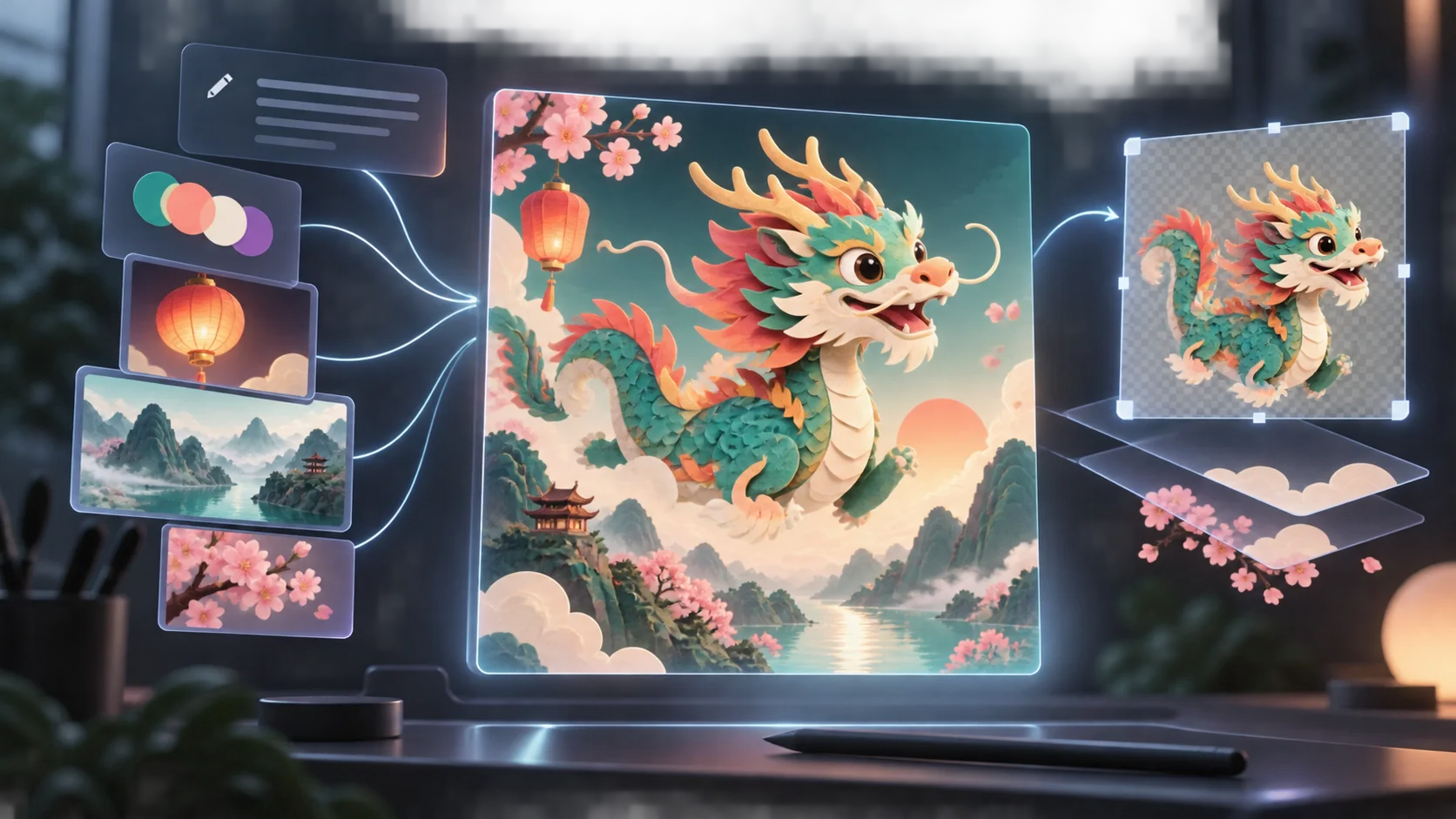
The illustration below shows a 2.1 creative workflow—prompts, references, editing, and a transparent layer. It is a useful picture of the current baseline, not a Qwen-Image 3.1 output.
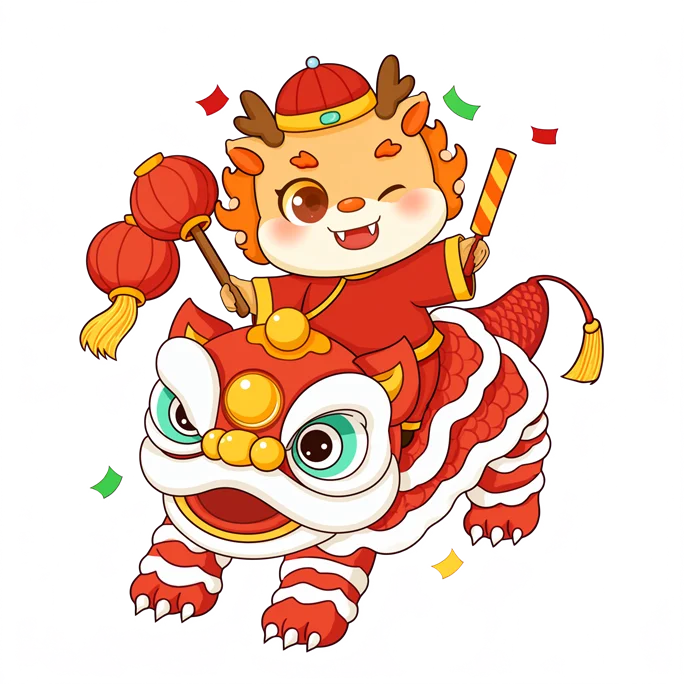
Qwen's published 2.1 example makes the transparency idea more concrete. The character below comes from the official Qwen-Image 2.1 model card; it shows what a released model's native transparent output can look like. It does not establish that 3.1 produces the same edges, quality, or file format.
What can you create while waiting?
Start with one finished use, such as a square image for a shop announcement. On the Qwen-Image 3.1 preview page, choose Qwen Image 3 visibly in the model selector, then write a brief that gives it a subject, setting, mood, composition, and empty space for any text you will add later. For example:
Create a square product scene for a small citrus soda shop. Show one unbranded amber glass bottle on pale stone with fresh oranges nearby, natural window light, and a soft blue wall. Leave clear space at the top for a headline. No readable text or logo.Generate a first version, check the product and crop, then change one instruction at a time. If you need a separately reusable object with verified native transparency, the released Qwen-Image 2.1 workflow is the documented Qwen option to examine now. Do not assume a normal image download has an alpha channel just because its background looks plain.
What should you check when 3.1 launches?
The useful comparison is a task, not a model name. Try the same product photo and brief in the available versions. Check whether the subject stays recognizable after an edit, whether the exported cutout really contains transparency, how readable text behaves, and whether the output is worth the time and cost for your one project. Those results, alongside published access and license terms, will make a much stronger choice than an early preview claim.
Is there a Qwen-Image 3.1 release date?
Alibaba has said later in 2026, without a specific public date in its September 22 announcement. The conference announcement is a preview, not a release notice.
Is Qwen-Image 3.1 free or open weight?
Alibaba has not announced a 3.1 price, free tier, downloadable weights, or license. Do not transfer the access or license terms of Qwen-Image 2.1 to 3.1.
Can I try Qwen-Image 3.1 on MagicCreator?
Not yet. The Qwen-Image 3.1 preview page lets you create with Qwen Image 3 and choose from the models shown in its selector. We will update this guide on the same URL when 3.1's public release details and usable results are available.